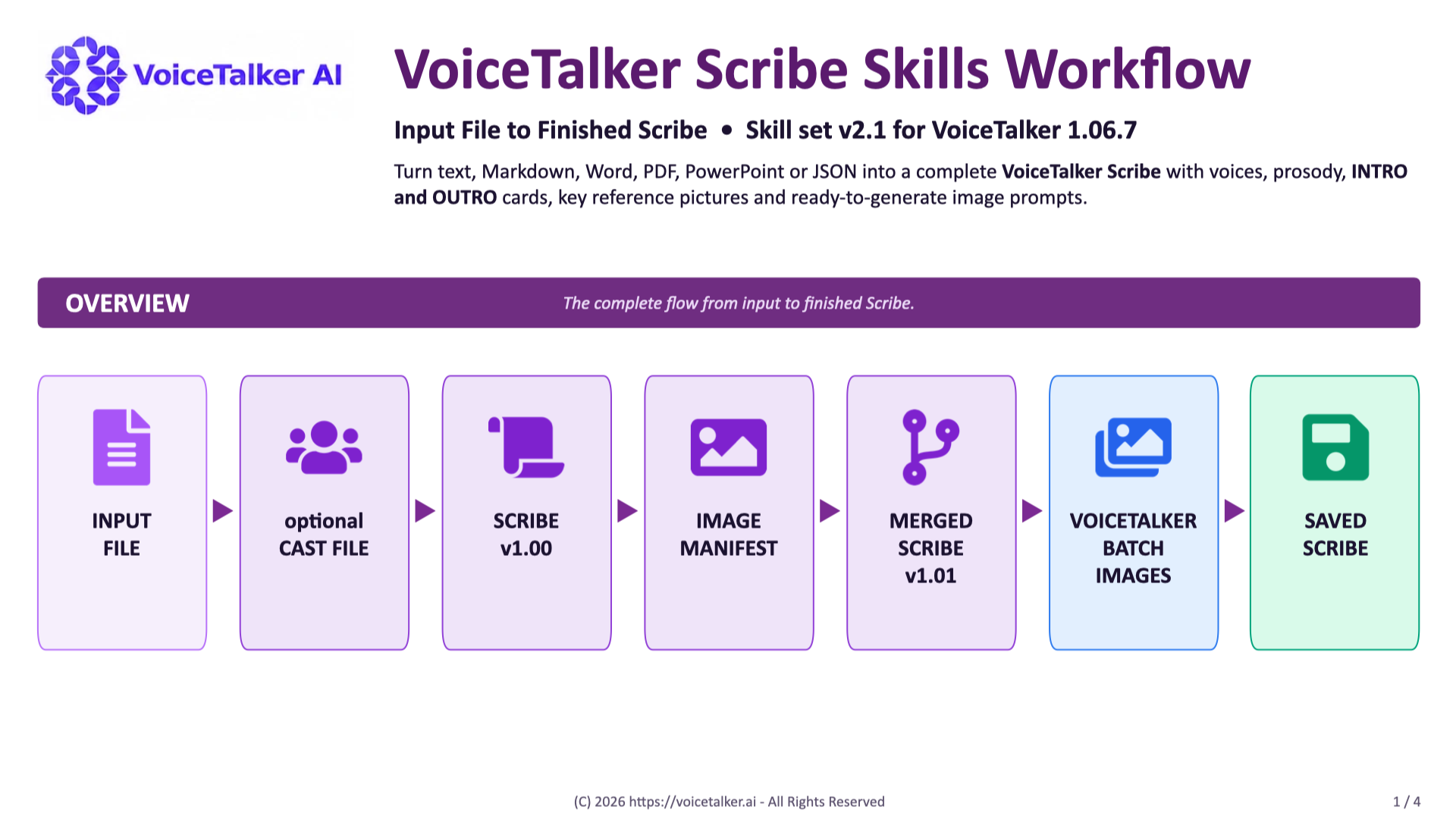
VoiceTalker Scribe Skills Workflow, skill set v2.1. The flow: input file, optional cast file, Scribe v1.00, image manifest, merged Scribe v1.01, VoiceTalker Batch Images, saved Scribe.
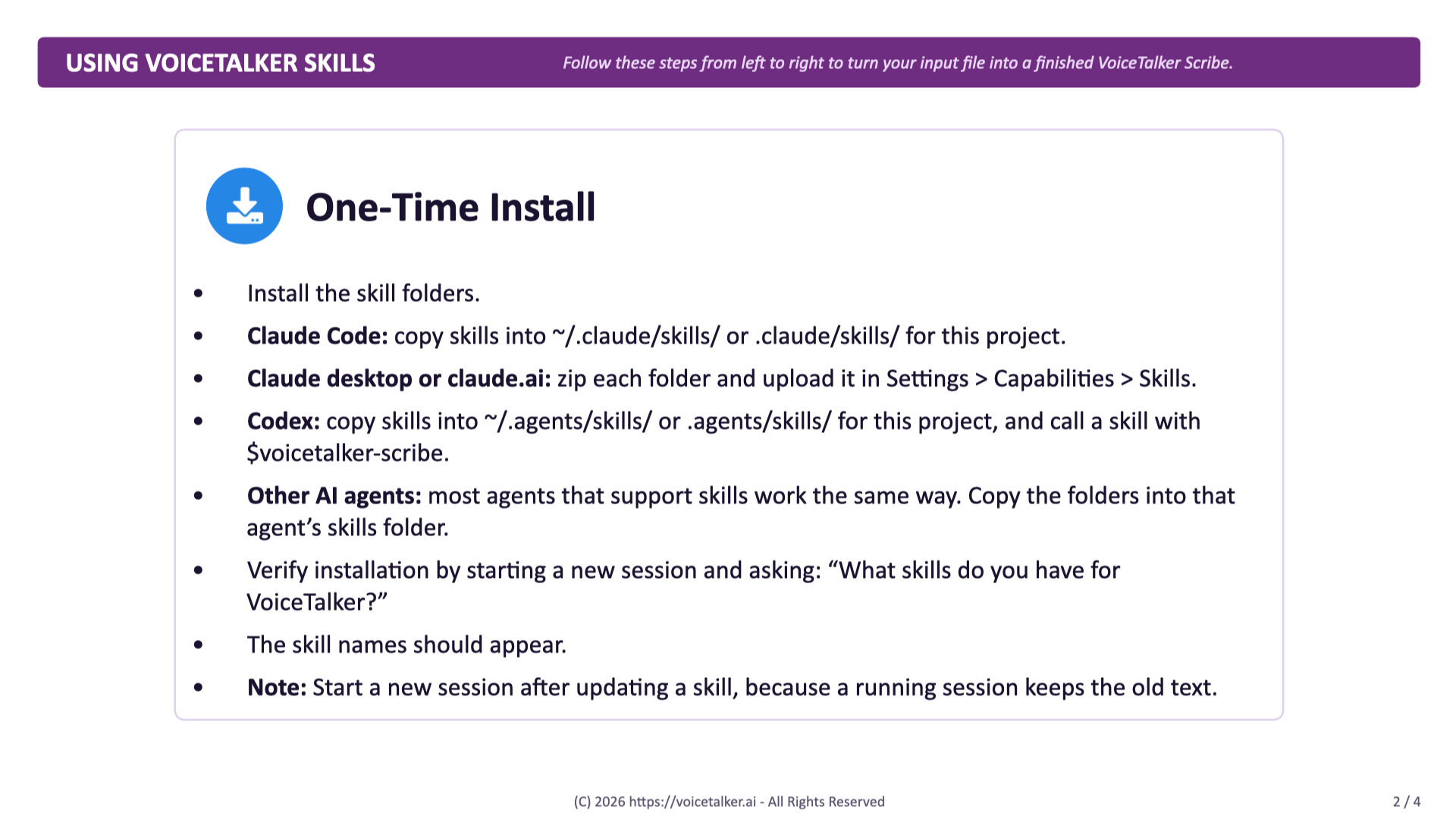
One-time install: install the skill folders. Claude Code copies them into ~/.claude/skills/. Claude desktop or claude.ai zips each folder and uploads it in Settings, Capabilities, Skills. Codex copies them into ~/.agents/skills/ and calls $voicetalker-scribe. Most other AI agents that support skills work the same way. Verify in a new session by asking what skills you have for VoiceTalker.
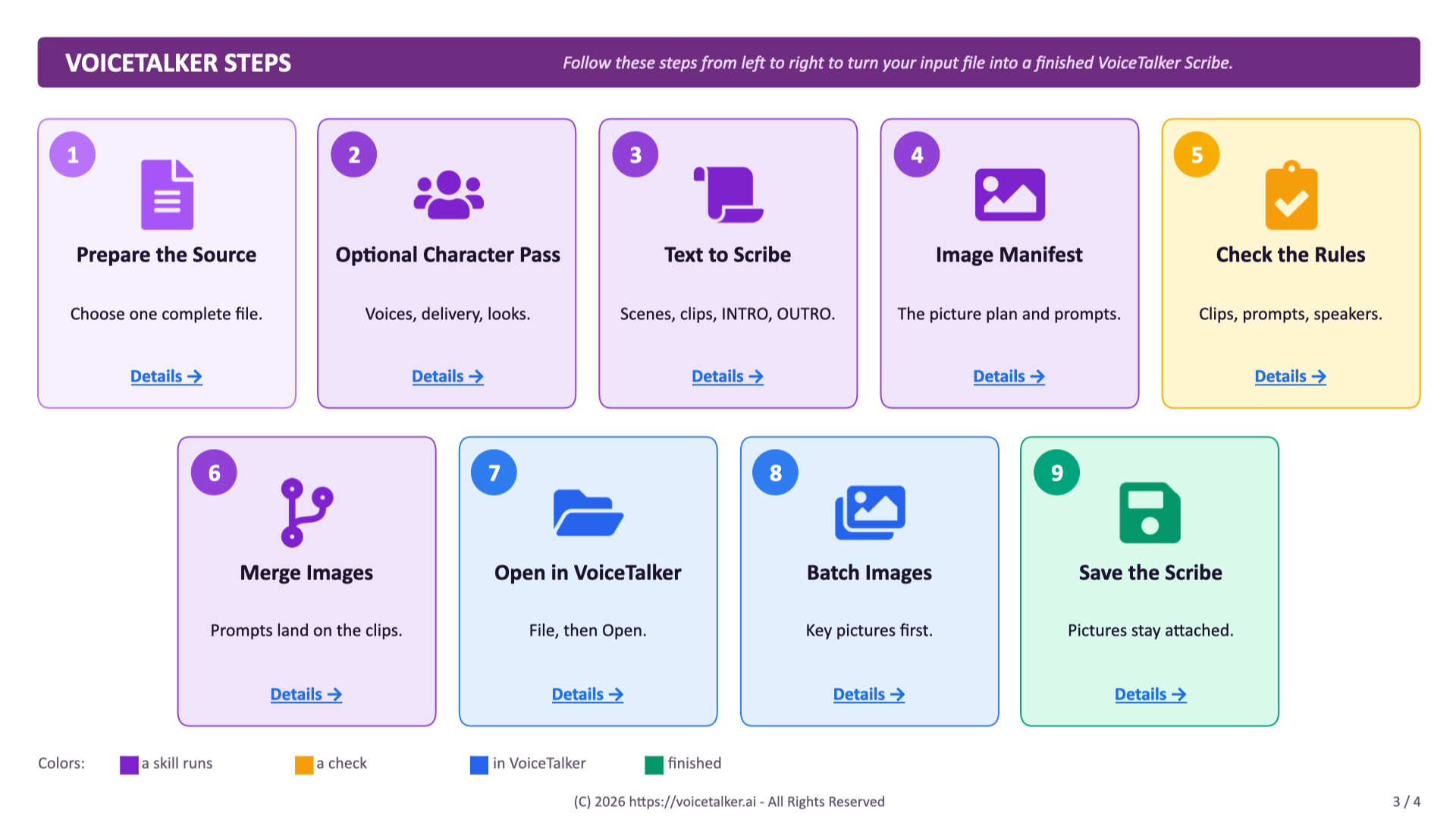
The complete workflow in nine steps: 1 Prepare the Source, 2 Optional Character Pass, 3 Text to Scribe, 4 Image Manifest, 5 Check the Rules, 6 Merge Images, 7 Open in VoiceTalker, 8 Batch Images, 9 Save the Scribe. Each step has a Details link to the Help.
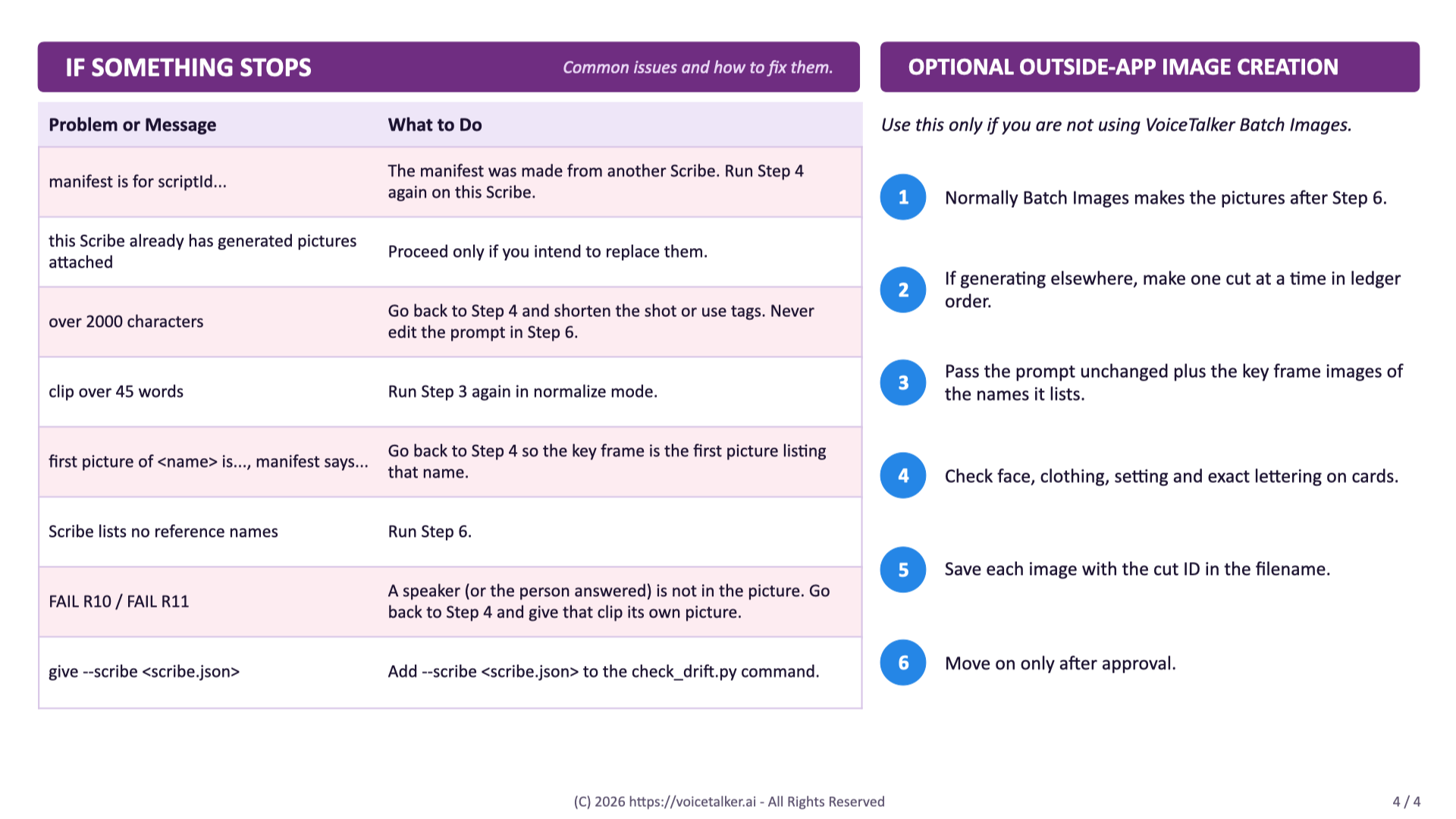
Good to know: at a glance (supported inputs, core skills, files written, always true), if something stops (common messages and what to do), and optional outside-app image creation in six steps.